


<Stream> and you have a phone-callable agent that a caller can interrupt mid-sentence — no separate STT vendor, no TTS vendor, and no turn logic of your own.
Source code: vobiz-ai/Vobiz-Deepgram-Voice-Agent — the reference FastAPI bridge used throughout this guide (app.py, call.py, mock_vobiz.py), plus a mock client that exercises the whole protocol without placing a call.
The defaults are tuned for India: Deepgram’s Hyderabad region, an Indian-accented voice, and a keyterm list biased toward Indian vocabulary. One variable switches all of it back to global.
Scope: inbound and outbound. Attach a number to an application whose answer URL points at
/answer, or place an outbound call with the same URL — the bridge does not care which direction the call came from.How it works


wss:// URL is the server. Caller audio arrives as media events, the agent’s speech goes back as playAudio, and app.py is a thin relay: format handling, barge-in, and the Vobiz control protocol. Deepgram owns the conversation.
- Vobiz fetches
/answerand receives a<Stream>element. - Vobiz opens a WebSocket to
/media/<secret>and sends astartevent. - Caller audio arrives as
mediaevents and is forwarded to Deepgram. - Agent audio comes back as raw bytes and goes to Vobiz as
playAudioevents. - When the caller interrupts, Deepgram signals it and the app sends
clearAudio. - After each turn a
checkpointis sent; Vobiz repliesplayedStreamonce the caller has actually heard it.
The bidirectional Stream protocol
Every event and control message on the socket —
start, media, dtmf, playedStream, clearedAudio, stop — and what you send back.Audio profiles
The two directions of a Vobiz bidirectional stream are configured independently. Both profiles below are pure passthrough — the bridge never resamples.mulaw matches the PSTN leg exactly and is the right default. l16 trades bandwidth for a wider band — 16 kHz in, 24 kHz out — and Deepgram emits 24 kHz natively, so nothing is degraded on the way to Vobiz.
playAudio accepts L16 at 8/16/24 kHz and mu-law at 8 kHz. See audio formats for the full matrix.
Region: India by default
DEEPGRAM_REGION=india points every Deepgram connection at api.in.deepgram.com (AWS ap-south-2, Hyderabad) instead of Deepgram’s default hosts. For calls that terminate in India this is the single highest-leverage setting in the file.
On a phone call that gap is not a metric, it is the difference between a natural reply and a pause the caller notices. Set
DEEPGRAM_REGION=global when serving callers elsewhere.
Two caveats before promising full data residency. The LLM step runs wherever that model provider runs, which is outside India, and operational metadata and billing are processed in the US.Note also that the SDK takes the Voice Agent host from
environment.agent, a different host from the REST base — so selecting a region means overriding the whole environment rather than a base URL. app.py does this for you.Language and voice
Deepgram listens in far more Indian languages than it can speak. Flux Multilingual understands Hindi, and Nova-3 adds Tamil, Telugu, Marathi, Bengali, Gujarati, Punjabi, Kannada, Assamese and Urdu — but there is no Indic-language voice. Every Flux TTS voice is an English model. What does exist is Indian-accented English:
So every locale replies in English, and the Indian character comes from the voice rather than the words.
en-in is the default because the monolingual Flux model has the tightest end-of-turn behaviour. Use hi-in when callers code-switch. indic reaches nine more languages through Nova, which brings its own endpointing rather than Flux’s — so the turn-taking knobs below, eager generation included, do not apply to it. A fair trade when you need that coverage.
Recognition is biased toward Indian vocabulary with a keyterm list — Aadhaar, UPI, PAN card, GST, IFSC, RuPay, lakh, crore, KYC, OTP and major city names, plus the product names that were being mistranscribed. Edit INDIA_KEYTERMS in app.py to add your own; brand names are the ones most often misheard.
Choosing the language model
Recognition is a few hundred milliseconds and synthesis is under 100 ms, so the LLM is where the latency lives — it is the setting worth benchmarking. Median time from a user message to first audio, India endpoint, six turns each:
All of these are Deepgram-managed, so no provider API key is needed.
app.py handles Deepgram’s LatencyReport and logs a per-turn [latency] breakdown across STT, LLM and TTS — read that line before changing anything.
The system prompt is re-sent every turn, so its length is a recurring latency cost, not a one-off.
Requirements
No separate LLM key is needed. Deepgram manages the model provider connection and bills it through your Deepgram account.
If your WebSocket endpoint is IP-restricted, allow inbound TCP 443 from the Vobiz media fleet. The RTP rule (UDP 5000–65535) does not cover it — see IP whitelisting.
Step 1: Configure the bridge
.env
PUBLIC_HOSTNAME is normalised and validated at startup — a pasted https://host/ is accepted and trimmed, but a path, an empty value, or the your-host… placeholder exits with a message naming the variable. A blank override anywhere else in the file is treated as absent, so a copied template keeps the defaults.Dependencies
requirements.txt
Two pins carry a reason.
deepgram-sdk is floored at 7.8.1 and capped below 8 — the bridge is verified end to end on 7.8.1 and 7.11.0. websockets is held below 18 because the SDK still imports websockets.legacy for the async agent client; when that import goes, every agent connect fails on the extra_headers / additional_headers rename.Step 2: Run it
The server binds loopback (BIND_HOST=127.0.0.1), so start a tunnel first and put its host in PUBLIC_HOSTNAME:
Or run it in Docker
The image needs no.env — configuration is passed in, and .dockerignore keeps .env out of the build context so a real key can never be baked into a layer:
8080 inside the container and binds 0.0.0.0, because the container’s loopback is not reachable from outside it — map it to whatever your tunnel points at. PORT overrides the internal port for platforms that assign one. The image is python:3.12-slim with no build toolchain, and uvicorn is PID 1 so SIGTERM stops the container promptly.
/health echoes the resolved region, locale, models, voice and audio profile, so you can confirm what is actually in use rather than what you think you set:
/health reports whether the media socket is guarded, never the secret that guards it — stream_url is printed without the secret path segment, and media_socket_authenticated is the only signal. The eot_* fields are null on the indic locale, which uses a v1 provider that does its own endpointing.Quote the session-end line in a support ticket. Deepgram’s
request_id arrives on the Welcome event, before Vobiz’s start event has supplied the call id — and the two race, so neither line can carry both. The bridge keeps the request id on the stream and prints the pair when the media session ends, which is the one line that identifies the call to both sides.Step 3: Place a call
- Inbound
- Outbound
Vobiz decides what to do with an inbound call by looking up the Voice Application attached to the number that was dialled. A number on its own is not enough — create the application first, then attach a number to it.1. Create a Voice ApplicationIn the console, go to Voice Applications → Create application. Set Primary answer URL to 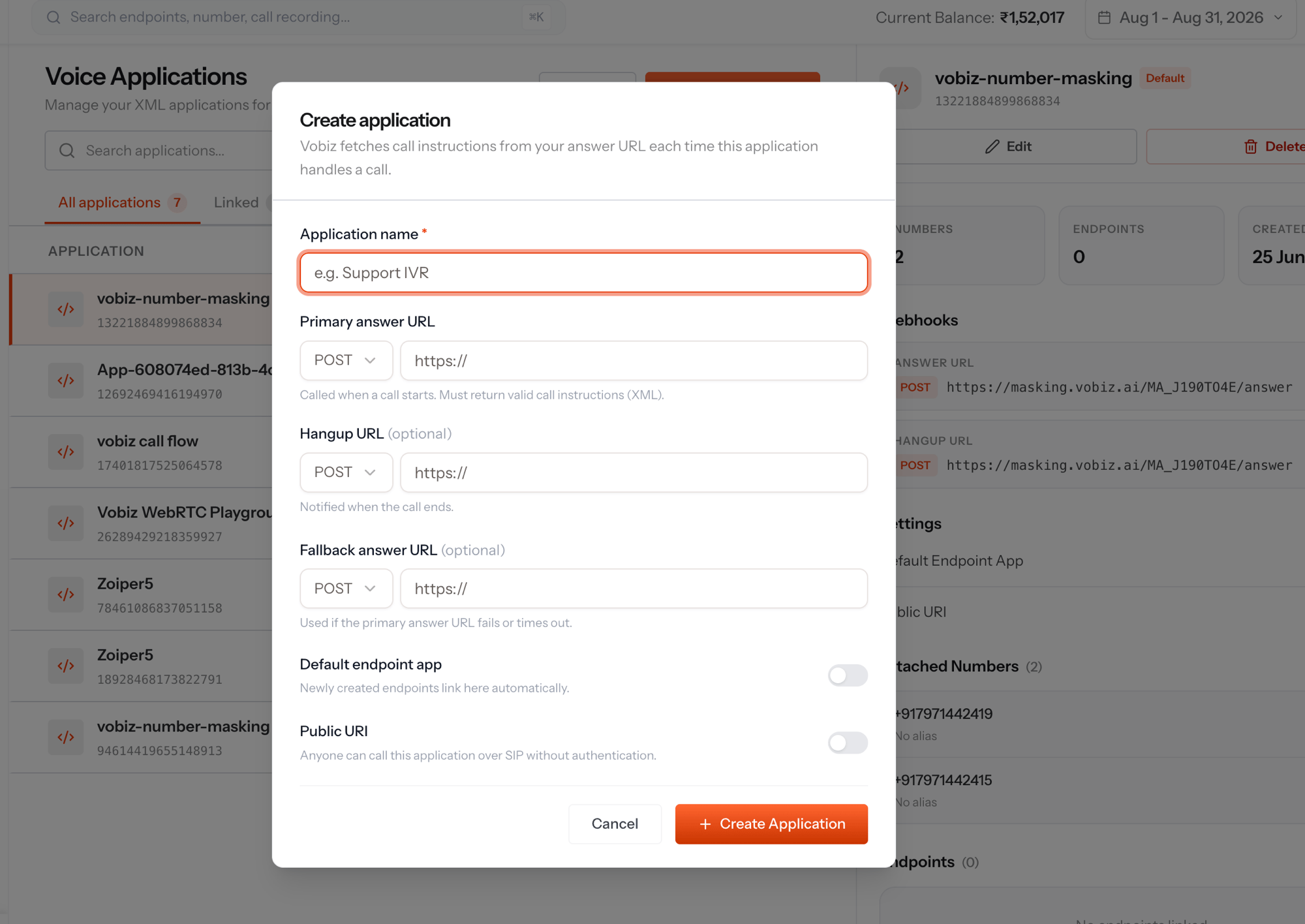
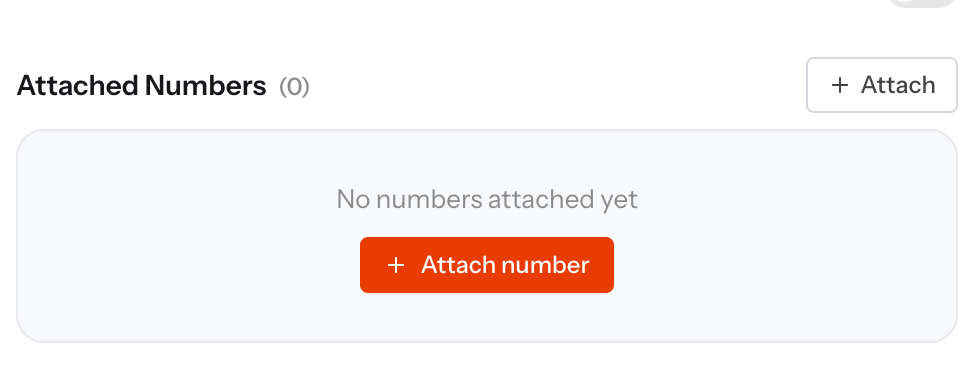
https://<public>/answer with method POST. Optionally set the Hangup URL to https://<public>/hangup to receive the call-ended webhook.0 or +91 prefix — 09XXXXXXXXX or +919XXXXXXXXX. You should hear the greeting.See Applications for the full reference.The answer XML
The WebSocket URL is the element’s text content, not a
url="" attribute.
Inside the bridge
The agent settings
Both ends of the pipeline are Flux, Deepgram’s conversational speech models, and both live on v2 endpoints — so each provider must pinversion: "v2". Omit it and the provider falls back to v1, where the Flux model names are not valid.
think provider — every provider in the benchmark table is Deepgram-managed.
Turn-taking
The end-of-turn knobs belong to the Flux v2 listen provider.app.py attaches them only when the locale resolves to v2, because Nova is a v1 provider that does its own endpointing and rejects them.
Eager generation is the cheapest latency win available here: it overlaps the LLM call with the tail of the caller’s sentence, at the cost of occasionally throwing that work away.
Barge-in
Deepgram detects the caller talking over the agent and emitsUserStartedSpeaking. Vobiz may still have seconds of the agent’s reply buffered, so the bridge flushes it:
clearedAudio event. Without this the agent keeps talking over the caller. See clearAudio.
Playback then waits for that confirmation. Sending playAudio straight after clearAudio lets the new reply race the in-flight flush and be partially dropped — the caller hears the next turn starting mid-word. Audio arriving during a flush is held and released on the acknowledgement, with CLEAR_ACK_TIMEOUT_S (default 1.0) as a backstop so a lost clearedAudio cannot strand the agent in silence.
Knowing the caller actually heard it
playAudio means sent, not heard. After each turn the bridge sends a checkpoint and Vobiz answers playedStream once the buffered audio has played out:
Frame slicing
Deepgram hands over arbitrarily sized audio chunks. Vobiz is happiest with steady telephony-sized frames, soVobizStream.play() re-slices into 20 ms — 160 bytes mu-law at 8 kHz, 960 bytes L16 at 24 kHz — rather than forwarding blindly. Any leftover partial frame is carried across chunk boundaries and the tail is flushed at end of turn, so every frame that reaches Vobiz is exactly 20 ms and no audio is lost at the seams.
Format mismatches are silent
Since the bridge never resamples, acontentType that disagrees with AUDIO_MODE is just garbage audio into the agent. read_start() compares the XML against start.mediaFormat and prints [audio] WARNING instead of failing quietly.
Security
Both public endpoints are reachable by anyone who learns the URL, so the bridge ships two opt-in controls:The secret must be ASCII alphanumeric and this is enforced at startup rather than per call — it becomes a URL path segment and is compared as bytes, so a non-ASCII character would otherwise fail every call instead of failing once, loudly.
/health never echoes it.extraHeaders cannot authenticate the media socket. The values never reach the WebSocket — not as an upgrade header, and not in the start frame, whose extra_headers field stays the literal "{}". They surface only in the statusCallbackUrl payload, as X-VH-<key>. That makes extraHeaders status-callback metadata rather than stream credentials, which is why the secret rides in the URL path instead.The webhook signature covers the URL and a nonce, never the body. Voice webhooks are form-encoded, so any scheme that hashes a JSON body will not verify. Query parameters are stripped first, and behind a tunnel the public URL has to be rebuilt —
request.url is the internal address Vobiz never saw. Signature headers are only emitted when the callback URL has auth credentials configured on it, which is why VERIFY_SIGNATURE is opt-in. See Validating callbacks.Security
Three mechanisms guard two different doors.
Set
STREAM_SECRET before you share the tunnel URL. An accepted /media socket opens a billed Deepgram session on your key, so while the secret is unset anyone who learns the hostname can start one. openssl rand -hex 16 is enough.
What the webhook signature proves: that the request was made by someone holding your account auth token, for that exact URL. It is HMAC-SHA256 over baseURL + nonce (V2) or baseURL + "." + nonce (V3), compared in constant time.
What it does not prove — worth reading before you rely on it:
- A captured request verifies indefinitely. The signed material carries a random nonce and no timestamp, so there is nothing to check freshness against. Anyone who records one signed
/answerrequest can replay it. Rate-limit and monitor/answerif that matters to you. - The body is unsigned. Every form field —
CallUUID,From,To— is attacker-controllable on a replayed or forged request, so do not use webhook parameters as an authorisation decision. - Signature headers appear only when the callback URL has auth credentials configured in the console. That is why
VERIFY_SIGNATUREis opt-in: turning it on without configuring them returns403on every call, and the log distinguishes that case from a genuine mismatch.
STREAM_SECRET is the stronger of the two, and it is why the secret rides in the WebSocket path — extraHeaders never reaches the socket, so the path is the only place the media server can carry a credential. Rotating it is a one-line .env change and a restart.
Test without placing a call
mock_vobiz.py stands in for Vobiz — it speaks the media-stream protocol against a running app.py, answers checkpoint with playedStream, and reports what came back.
PASS whenever playAudio frames were returned, along with the formats, frame count, checkpoints and time to first audio.
--wav takes audio that already matches the profile: nothing in the mock resamples or transcodes. The encoding, channel count and sample rate are read from the RIFF header, and a mismatch is refused with the ffmpeg line that fixes it.
A headerless
.ulaw, .raw, .pcm or .l16 file is accepted and taken on trust, since there is no header to check it against.
Configuration reference
Required
Region, language and voice
Language model — all Deepgram-managed, so no provider key is needed
Turn-taking — Flux only; the
indic locale uses Nova, which does its own endpointing
Transport
Security — both off until configured
Outbound calls —
call.py only; inbound needs none of these
Troubleshooting
Next steps
- Clone the reference bridge: vobiz-ai/Vobiz-Deepgram-Voice-Agent
- Tuning detail — where the latency goes, model benchmarks, turn-taking and region: docs/PERFORMANCE.md
- Read the
<Stream>reference, audio formats, stream events andplayAudio - Deepgram’s Voice Agent API and Flux docs
- Bridging a different model over the same socket? See WebSockets and Gemini Live